Achieving a uniform lamination with digital thermal lamination film is a crucial aspect for many industries, including printing, packaging, and graphic design. As a supplier of digital thermal lamination film, I understand the challenges and requirements that customers face in this process. In this blog post, I will share some insights and practical tips on how to achieve a uniform lamination using our high – quality digital thermal lamination film. Digital Thermal Laminaton Film
Understanding the Basics of Digital Thermal Lamination
Before diving into the tips for uniform lamination, it is important to understand the basic principle of digital thermal lamination. Digital thermal lamination uses heat and pressure to bond a thin plastic film to a printed substrate. The heat activates the adhesive on the film, allowing it to adhere firmly to the substrate. This process not only enhances the appearance of the printed material but also provides protection against scratches, moisture, and UV rays.
Our digital thermal lamination film is designed with a precise adhesive coating. The quality of the adhesive is a key factor in achieving uniform lamination. A well – formulated adhesive ensures strong bonding and even distribution of the film over the substrate.
Preparing the Substrate
The first step in achieving uniform lamination is to prepare the substrate properly. The substrate, which could be paper, cardstock, or other printed materials, should be clean and dry. Any dust, dirt, or moisture on the substrate can prevent the film from adhering evenly, leading to bubbles, wrinkles, or delamination.
- Cleaning the Substrate: Use a lint – free cloth to gently wipe the surface of the substrate before lamination. This will remove any loose particles that could interfere with the lamination process.
- Checking for Moisture: High humidity can cause moisture to accumulate on the substrate. It is advisable to store the substrate in a controlled environment with a relative humidity of around 40 – 50%. If the substrate feels damp, it should be dried in a low – temperature environment before lamination.
Selecting the Right Lamination Film
Choosing the appropriate digital thermal lamination film for your specific application is essential for uniform lamination. Our product range includes different types of films with varying thicknesses, finishes (such as gloss, matte, and satin), and adhesive properties.
- Thickness: Thicker films generally provide more durability and protection, but they may also be more difficult to laminate evenly, especially on substrates with complex shapes or textures. For most standard applications, a film thickness of 1.5 – 3 mils is suitable. Thinner films can be used for applications where flexibility is required, while thicker films are ideal for high – traffic areas or items that need extra protection.
- Finish: The finish of the film can affect the appearance of the laminated material. Gloss finishes provide a shiny, reflective surface that enhances colors and makes the print more vibrant. Matte finishes, on the other hand, offer a non – reflective, smooth surface that reduces glare and gives a more sophisticated look. Satin finishes are a middle ground, combining some of the shine of a gloss finish with the reduced glare of a matte finish. Consider the end – use of the laminated product when selecting the finish.
Setting Up the Laminating Machine
Proper setup of the laminating machine is crucial for achieving uniform lamination. The machine should be calibrated correctly to ensure that the temperature, pressure, and speed are appropriate for the type of film and substrate being used.
- Temperature: The temperature setting is one of the most important factors in thermal lamination. If the temperature is too low, the adhesive on the film may not activate fully, resulting in poor adhesion. Conversely, if the temperature is too high, the film may wrinkle, bubble, or even melt. Refer to the technical specifications of our digital thermal lamination film to determine the optimal temperature range.
- Pressure: The pressure applied by the laminating machine ensures that the film adheres tightly to the substrate. The pressure should be evenly distributed across the width of the machine. Check the machine’s pressure settings regularly and adjust them as needed to prevent uneven lamination.
- Speed: The speed at which the substrate passes through the laminating machine also affects the quality of the lamination. A slower speed allows more time for the adhesive to activate and bond to the substrate, resulting in a more uniform lamination. However, if the speed is too slow, it can increase production time and may cause overheating of the film. Find a balance between speed and quality based on your specific requirements.
Feeding the Substrate
When feeding the substrate into the laminating machine, it is important to ensure that it is aligned correctly. Misaligned substrates can lead to uneven lamination, with gaps or overlapping areas in the film.
- Use Alignment Guides: Most laminating machines are equipped with alignment guides. Use these guides to position the substrate accurately and ensure that it enters the machine straight.
- Handle with Care: When placing the substrate in the machine, handle it gently to avoid creasing or folding. Any irregularities in the substrate can cause problems during the lamination process.
Quality Control During Lamination
During the lamination process, it is important to perform regular quality control checks to ensure that the lamination is uniform.
- Visual Inspection: Periodically check the laminated products for any signs of bubbles, wrinkles, or uneven adhesion. If any issues are detected, stop the machine immediately and make the necessary adjustments.
- Testing Adhesion: You can perform a simple adhesion test by gently peeling the film from a corner of the laminated substrate. If the film comes off easily or if there are areas where the adhesion is weak, it indicates that the lamination process needs to be adjusted.
Troubleshooting Common Lamination Problems
Even with proper preparation and setup, you may encounter some common lamination problems. Here are some solutions to these issues:
- Bubbles: Bubbles can occur due to trapped air between the film and the substrate. To prevent bubbles, make sure the substrate is clean and dry, and ensure that the film is applied smoothly. If bubbles do appear, you can try re – running the laminated product through the machine at a slightly lower speed and higher pressure to squeeze out the air.
- Wrinkles: Wrinkles can be caused by improper feeding of the substrate, incorrect temperature settings, or uneven pressure. Check the alignment of the substrate and adjust the temperature and pressure settings as needed. If the wrinkles are minor, you may be able to smooth them out by applying gentle heat and pressure with a flat object.
- Delamination: Delamination occurs when the film separates from the substrate. This can be due to poor adhesive activation, contamination of the substrate, or excessive stress on the laminated product. To prevent delamination, make sure the temperature and pressure settings are correct, and handle the laminated products carefully.
Conclusion
Achieving a uniform lamination with digital thermal lamination film requires attention to detail at every step of the process, from substrate preparation to quality control. By following the tips and guidelines outlined in this blog post, you can ensure that your lamination projects are successful and produce high – quality results.
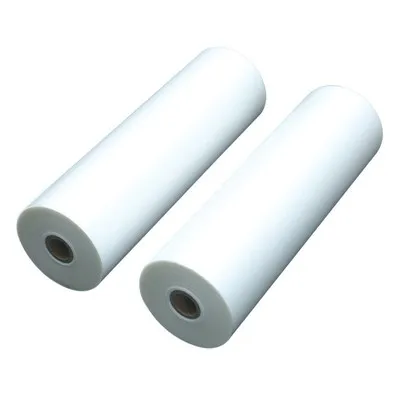
As a leading supplier of digital thermal lamination film, we are committed to providing our customers with the best products and technical support. Our films are manufactured using the latest technology and high – quality materials, ensuring consistent performance and excellent adhesion.
Small Roll Laminating Film If you are interested in learning more about our digital thermal lamination film or have any questions regarding the lamination process, please feel free to contact us. We are more than happy to discuss your specific needs and help you find the right solution for your lamination requirements. Let us work together to achieve the perfect lamination for your projects.
References
- "Laminating Technology Handbook," various industry publications on laminating processes.
- Technical data sheets provided by our company for digital thermal lamination film.
- Industry – specific research on factors affecting uniform lamination in printing and packaging applications.
Yantai Hongqing Packing Material Co., Ltd.
Yantai Hongqing Packing Material Co., Ltd. is one of the most professional digital thermal laminaton film manufacturers and suppliers in China, also supports customized service. Welcome to wholesale advanced digital thermal laminaton film made in China here and get quotation from our factory. Quality products and reasonable price are available.
Address: Eastern Industrial Park, Taocun, Yantai, Shandong Province, China
E-mail: cindy@ythongguang.cn
WebSite: https://www.hqingnewmat.com/
